Open source · Systems
LinPad OS: giving the iPad a Linux desktop
Real Linux apps, a native windowed desktop and local files. How I’m building LinPad, and what still needs work.
The hardware already has the headroom
An iPad with a keyboard and trackpad is a convincing little laptop until you need a particular desktop tool. A browser-based editor can get you part of the way. A remote desktop can get you further, provided another computer is awake and the connection holds. I wanted a Linux environment that runs on the iPad itself.
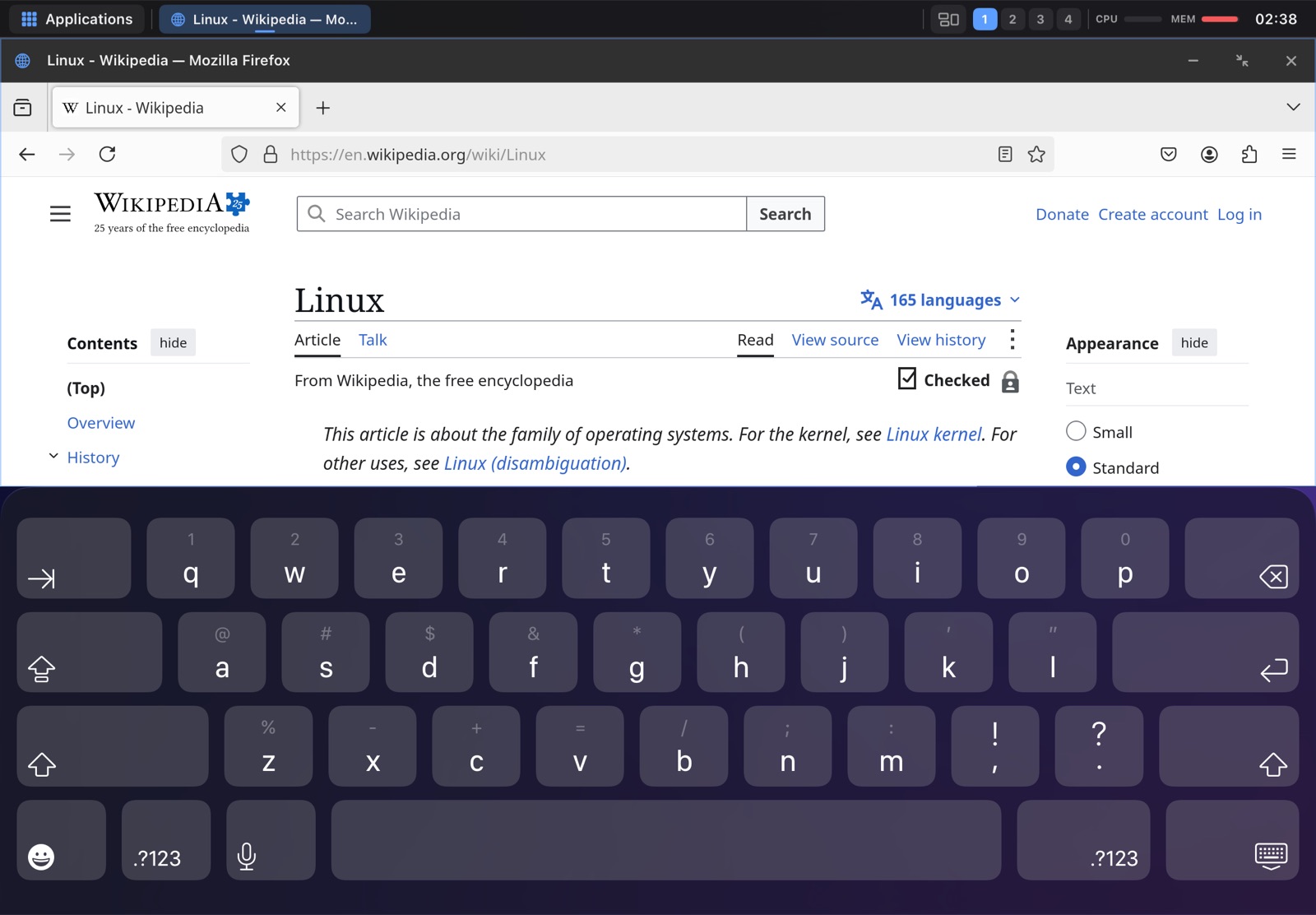
That is LinPad OS: an Alpine Linux environment inside an iPad app, with a native desktop around it. You can open Firefox, edit code in VS Code, move files in Thunar, play media in VLC, or use a terminal with git, Node and Python. The files and processes live locally. The source is public on GitHub.
Linux inside. An iPad desktop around it.
LinPad builds on iSH-ARM64. The emulator supplies the Linux environment, while a SwiftUI desktop shell manages the windows. A Wayland bridge connects Linux applications to that shell, so a Linux app can appear in its own window instead of the entire desktop being flattened into one remote screen.
The desktop has moving and resizing, snapping, tiling and workspaces. Keyboard shortcuts, trackpad input and touch all have to fit the same window system. Getting that right involves small things: which window takes focus, where a menu opens, whether a dock tap restores an app, and whether typing goes to the field you actually selected.
Appearance is part of the project too. Desktop styles, colour palettes, icon packs and wallpapers let the environment feel familiar. The LinPad Store adds a way to discover Linux apps and install curated packs without making everyone start with a package-manager command.
Fast mode has a setup cost
The native ARM64 JIT is the fast path. StikDebug enables it at launch; without that setup, LinPad falls back to a slower compatibility mode. That distinction belongs in the installation instructions, because the experience depends on which path you are using.
There is also a GPU bridge built around Venus, MoltenVK and Metal. CPU and graphics work have produced useful results in the Mac emulator and simulator, but those measurements need their environment attached. They cannot be presented as benchmarks for every iPad. Real-device testing remains part of the work.
Keeping the work you do
A desktop needs to survive more than a happy-path demo. iPadOS can suspend an app or terminate it under memory pressure. Firefox and VS Code make that pressure very real. Memory limits, session restoration, autosave defaults and filesystem crash recovery have therefore become core engineering work.
LinPad includes backup and restore, diagnostics, repair tools, and an update path with rollback. The purpose is practical: someone who spends an afternoon coding should be able to return to their files and recover when an update or session goes wrong.
Where it stands today
LinPad is a free, GPLv3 prerelease targeting M-series iPads with iPadOS 17 or later. Installation involves sideloading with your own Apple ID, and fast mode needs its additional setup. This is still a development project with device checks and reliability work ahead.
Heavy applications need memory. Docker, Steam and x86 games are outside the supported scope. If you want to try it, start with the installation guide and the limits on linpados.com. If you want to contribute, the emulator, desktop, Linux app integration and testing all have work worth doing.
Explore the project